
Nintendo OLED Mod Instructions for Brave Beginners
Nintendo OLED Mod Instructions: What You Need to Know Before You Start
Nintendo OLED mod instructions cover a process that ranges from physically disassembling your console to flashing custom firmware — and the steps vary depending on your Switch model.
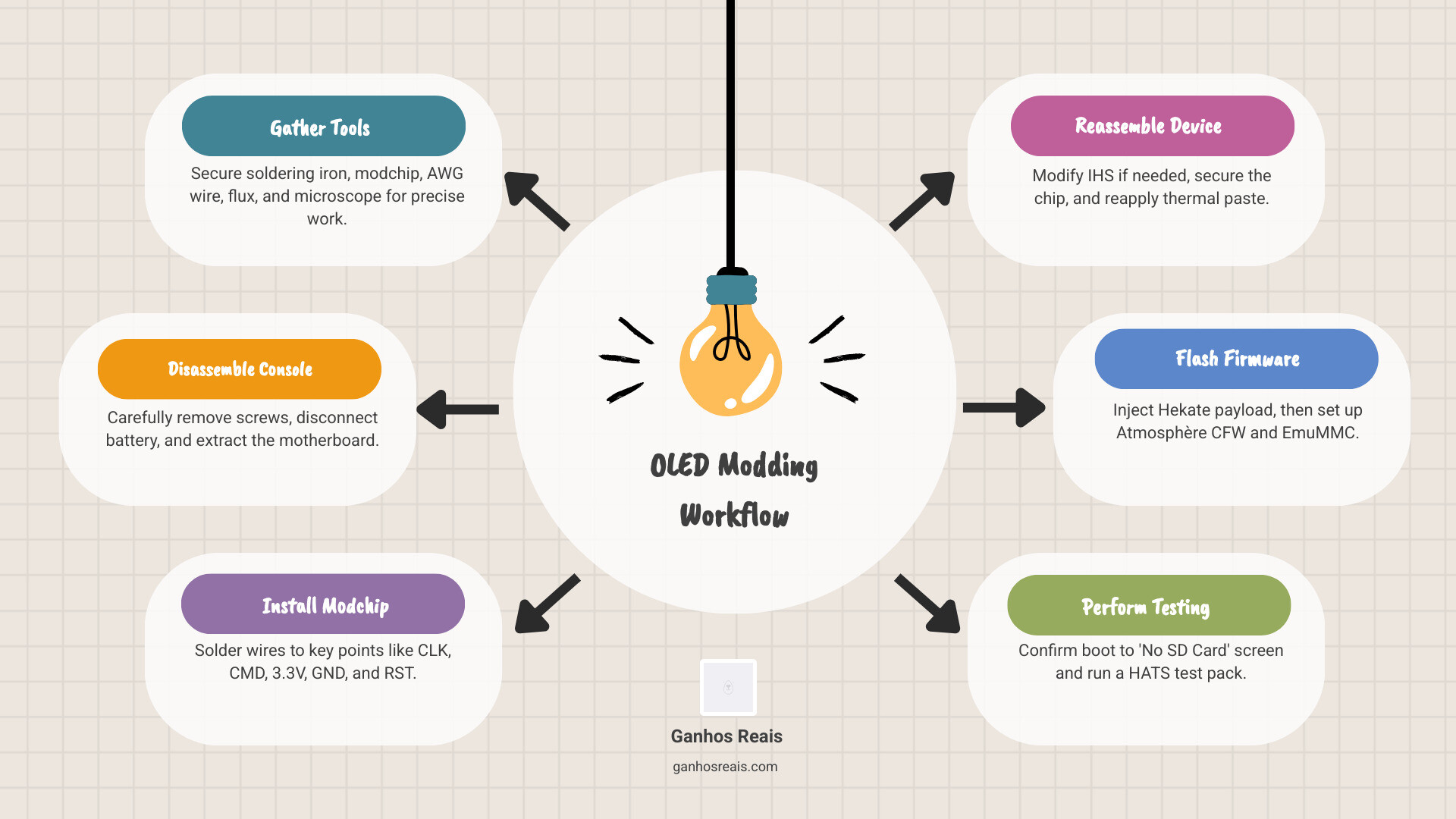
Quick overview of the OLED mod process:
- Gather tools — soldering iron, modchip (e.g., Picofly or HWFly), AWG wire, flux, microscope
- Disassemble the console — remove screws, disconnect battery, extract motherboard
- Install the modchip — solder wires to key points (CLK, CMD, 3.3V, GND, RST)
- Reassemble — modify IHS if needed, secure chip, reapply thermal paste
- Flash firmware — inject Hekate payload, set up Atmosphère CFW and EmuMMC
- Test — confirm boot to “No SD Card” screen, then run a HATS test pack
This is not a casual weekend project. Modders like Taki Udon have pushed the Switch Lite to display a 1080p OLED image — a massive leap from its stock 720p IPS panel. That kind of result is exciting. But getting there requires patience, the right tools, and a clear understanding of what can go wrong.
Whether you want to install a modchip on your Switch OLED or attempt the cutting-edge screen swap, this guide walks you through every stage — in plain language, without skipping the hard parts.
Essential Tools and Equipment for Handheld Upgrades
Before we even touch a screwdriver, we need to talk about the “surgical suite” required for this project. Modding a modern Nintendo console isn’t like swapping batteries in a Game Boy; it involves microsoldering, which means working with components smaller than a grain of rice.
To follow our Nintendo OLED mod instructions successfully, you will need:
- Soldering Station: A temperature-controlled iron is non-negotiable. We recommend something like a T12-959 with fine tips (JL02 or KU).
- The Modchip: Most modern modders use the Picofly, an open-source chip based on the RP2040 microcontroller. It is highly regarded in the community for its reliability. Alternatively, HWFly v4.1 chips are common for OLED models.
- Precision Wiring: You’ll need AWG36 Teflon wire or Kynar (30-32 AWG). These are thin enough to navigate the tight spaces of the Switch motherboard.
- Microscope or High-Powered Magnifier: You cannot solder the CLK or CMD points with the naked eye. A digital microscope is a lifesaver here.
- Chemicals: High-quality flux (like Amtech) and 99% Isopropyl alcohol for cleaning.
- Safety Gear: A fume extractor is a great idea, as flux fumes aren’t exactly a health supplement.
If you are new to hardware tweaks, checking out a DIY Retro Handheld Screen Upgrade can help you get a feel for the basics before diving into the high-stakes world of Switch modding.

Step-by-Step Nintendo OLED Mod Instructions
The “OLED Mod” usually refers to one of two things: installing a modchip into a Switch OLED model to enable Custom Firmware (CFW), or the more extreme “Lite OLED” mod, where a 1080p OLED panel is retrofitted into a Switch Lite.
For the brave souls attempting the 1080p Switch Lite upgrade, you’re looking at sourcing a compatible 5.5-inch 1080p OLED panel. While the stock Lite screen is a 720p IPS display, modders have successfully bridged the gap using specialized adapter boards and custom wiring.
For a broader look at how these displays change the game, see our guide on OLED Mod Installation for Retro Consoles.
Preparing the Console for Nintendo OLED Mod Instructions
Disassembly is where many beginners accidentally end their journey early. Nintendo uses a mix of screw types, and stripping them is the quickest way to turn your console into a permanent paperweight.
- Discharge the Battery: Before opening the shell, ensure your battery is below 25%. A punctured lithium-ion battery at 100% charge is a fire hazard.
- Remove the Outer Shell: Use a Y00 (Tri-point) driver for the back screws. Be firm but gentle.
- Manage the Internals: Once inside, the first thing you must do is disconnect the battery.
- ZIF Connectors: Use a plastic spudger to flip up the tiny locking flaps on Zero Insertion Force (ZIF) connectors. Never pull the ribbon cables before the flap is up.
- Thermal Management: You will need to remove the heat pipe and the metal shield (IHS). Keep track of where the thermal paste is; you’ll need to clean it off and reapply it later.
For more safety details, we’ve compiled DIY Screen Replacement Safety Tips to keep your hardware (and fingers) safe.
Wiring and Soldering Your Nintendo OLED Mod Instructions
This is the “make or break” stage. The modchip needs to communicate with the console’s EMMC (storage) and CPU.
- The DAT0 Point: On OLED models, this point is tucked under the EMMC chip. Most modders use a DAT0 adapter—a tiny piece of metal that slides under the chip—to avoid having to “reflow” the entire storage module.
- CLK and CMD Points: These require scraping a tiny bit of solder mask off the motherboard to expose the copper. It’s delicate work.
- 3.3V and GND: These provide power to your modchip.
- Insulation: Once soldered, use UV solder mask (the green or blue goo that hardens under UV light) to secure the wires and Kapton tape to prevent any shorts against the metal shielding.
Check your diode values after soldering. For example, a DAT0 point should typically read between 0.435V and 0.850V. If you get a “0” or a “1,” you have a short or a break.
Software Setup, Firmware Flashing, and Training
Once the hardware is in place, the modchip needs to “learn” how to talk to your Switch. This is called a training session.
When you first power on the console, the modchip (if it’s a Picofly) will pulse blue and then white. If everything is perfect, you’ll see a “No SD Card” splash screen on your display. Congratulations! You haven’t bricked it.
The Software Stack:
- Hekate: This is your bootloader. It’s the “command center” where you manage backups and launch the OS.
- Atmosphère: The actual Custom Firmware (CFW) that allows you to run homebrew apps and mods.
- EmuMMC: This is crucial. It creates a copy of your system software on your SD card. You run all your “fun stuff” on the SD card copy, keeping your original system (SysNAND) clean to avoid getting banned from Nintendo’s online services.
If this sounds like a lot, don’t worry. Our Handheld Console Modding 101: A Beginner’s Guide breaks down these terms even further.
Performance Comparison: 1080p OLED vs. Stock IPS
Why go through all this trouble? The results speak for themselves. The stock Switch Lite uses a 720p IPS panel. While it’s a decent screen, it suffers from “IPS glow” and lacks the true blacks of an OLED.
- Visual Quality: The 1080p OLED mod offers infinite contrast. Blacks are truly black because the pixels actually turn off.
- Color Saturation: Colors pop in a way that makes games like The Legend of Zelda: Breath of the Wild look like a completely different experience.
- Resolution: While the Switch natively renders handheld games at 720p, the 1080p screen allows for cleaner scaling and, in some cases, boosted resolutions via homebrew patches.
- Battery Life: OLEDs are generally more power-efficient when displaying dark images, though the higher resolution and modchip power draw might offset some of these gains.
Many modders pair this screen upgrade with Hall effect joysticks, which use magnets instead of physical contact points to eliminate the dreaded “Joy-Con drift” forever. You can read more about Upgrading Handheld Display for Better Visuals to see the full impact of these changes.
Risks, Safety Precautions, and Troubleshooting
We have to be honest: this mod carries risks.
- Bricking: If you bridge two solder points on the CPU, you could permanently kill the console.
- Warranty: Opening your Switch and soldering onto the board voids your warranty instantly.
- Online Bans: If you use CFW on Nintendo’s official servers (SysNAND), they will likely ban your console from the eShop and online play. Always use EmuMMC!
Troubleshooting Tips:
- Black Screen: Check your 3.3V and GND connections. The chip might not be getting power.
- Long Glitch Times: If the console takes more than 30 seconds to boot, your wiring to the CLK or CMD points might be too long or have too much resistance.
- Thermal Issues: If the fan is screaming, you likely didn’t apply enough thermal paste or the shield isn’t seated correctly.
For more help, our Screen Modding Tutorial for Beginners covers common pitfalls in detail.
Frequently Asked Questions about Nintendo OLED Mods
Is microsoldering experience required for this mod?
Yes, absolutely. The solder points on the Switch OLED and Lite are microscopic. If you have never soldered before, we strongly recommend practicing on “broken” electronics first or using a professional installation service. It is very easy to rip a pad off the motherboard, which is a very expensive mistake.
Can I mod a Switch OLED without a physical modchip?
As of 2025, the short answer is: generally, no. While “warmboot” exploits exist for some very specific early firmware versions (like 15.0.0 on certain serial numbers), the vast majority of OLED units require a physical modchip to bypass Nintendo’s security. Software-only mods are mostly reserved for the unpatched V1 “Erista” models from 2017.
What are the benefits of the 1080p Switch Lite mod?
Beyond the obvious “wow” factor, the 1080p mod provides a much higher pixel density on the 5.5-inch screen. It makes the Switch Lite the ultimate portable retro gaming machine, especially when running emulators that can take advantage of the higher resolution.
Conclusion
At Ganhos Reais, we believe that hardware shouldn’t be “locked” the day you buy it. Whether you are following Nintendo OLED mod instructions to revive an old Switch Lite or to push your OLED model to its limits, you are participating in a vibrant community of modders who value hardware longevity and custom gaming experiences.
Modding is a journey. It requires the right tools, a steady hand, and a bit of bravery. But once you see that 1080p OLED screen light up for the first time, you’ll know it was worth the effort.
For more guides and professional assistance with your gaming hardware, visit Ganhos Reais and join our community of enthusiasts today!
