
How to Bring Your Dead Consoles Back to Life
Is Restoring Old Game Consoles Worth the Effort?
When you look at a dusty, non-functional console, you might wonder if it’s easier to just buy a “Classic Edition” mini-console or download an emulator. While those have their place, they don’t offer the same experience as original hardware.
Restoring old game consoles is worth the effort for several reasons. First, there is the issue of emulation lag. Even the best emulators can have slight delays between your button press and the action on screen. Playing on original silicon eliminates this, providing the precise “feel” the developers intended.
Second, there is the collectible value. A mint-condition, restored console is a physical asset that often appreciates in value. Beyond the money, there is the tactile joy of using physical media. The “clack” of an NES cartridge seating or the spin of a PlayStation disc is a sensory experience that digital files can’t replicate. Finally, many of these systems were built to last. With a bit of maintenance, a console from 1985 can easily run for another 40 years, making it a sustainable way to enjoy gaming history.
Essential Tools for Restoring Old Game Consoles
You wouldn’t perform surgery with a kitchen knife, and you shouldn’t approach a vintage motherboard with a standard hardware-store screwdriver. To do this right, you need a specific kit.
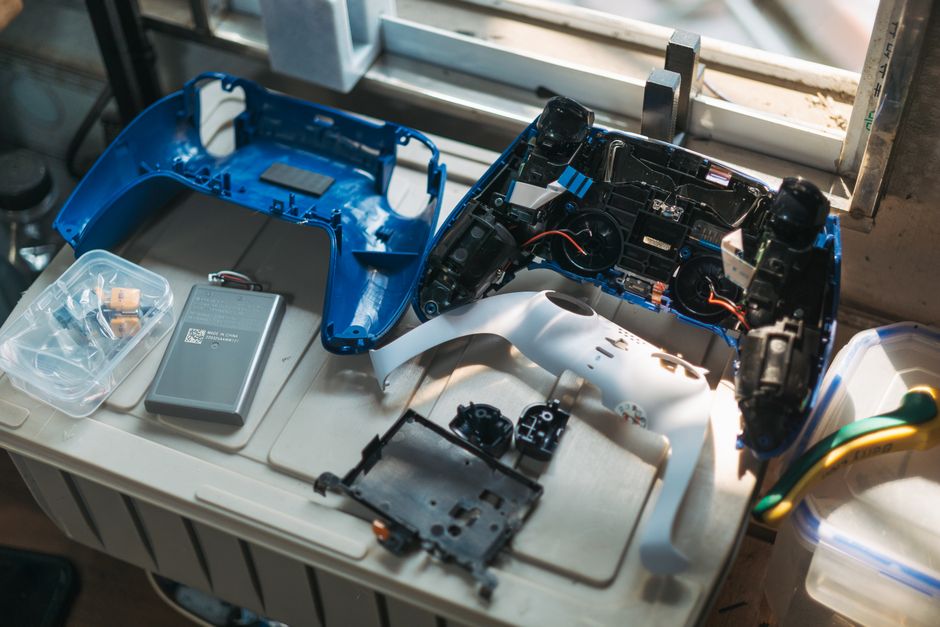
- Gamebit Screwdrivers: Nintendo and Sega used proprietary security screws to keep people out. You will specifically need 3.8mm and 4.5mm Gamebit drivers to open most consoles and cartridges.
- Multimeter: Essential for “continuity testing” (checking if a circuit is broken) and verifying that your power supply is outputting the correct voltage.
- Soldering Station: A temperature-controlled iron is a must. You’ll use this for replacing capacitors and installing mods.
- 90%+ Isopropyl Alcohol (IPA): This is the “holy water” of console restoration. It cleans corrosion and dirt without damaging electronics. Avoid 70% rubbing alcohol, as the higher water content can cause rust.
- Desoldering Pump or Wick: For removing old solder when you’re replacing parts.
- ESD-Safe Brushes: To scrub away decades of dust and leaked battery acid without creating static shocks that could fry a chip.
Common Repairs: From Yellowing to Recapping
Most consoles suffer from the same “aging pains.” If you can master these three areas, you can fix about 90% of the systems you find at garage sales.
Reversing Plastic Yellowing with Retr0bright
Have you ever wondered why a Super Nintendo looks like it was owned by a heavy smoker, even if it sat in a clean closet? This is due to bromine oxidation. In the 80s and 90s, manufacturers added bromine to ABS plastic as a flame retardant. Over time, exposure to UV light and heat causes that bromine to react with oxygen, turning the grey plastic a nasty yellow or orange.
The solution is a process called Retr0bright. This involves coating the plastic shell (after removing all electronics!) in a high-concentration hydrogen peroxide cream (like 40-volume hair developer) and exposing it to UV light—either the sun or a UV lamp.

Warning: Be careful not to let the cream dry out on the plastic, or it can cause “marbling” or streaks. Re-apply every few hours and keep the parts wrapped in clear plastic wrap to maintain moisture.
Recapping Motherboards for Restoring Old Game Consoles
Inside your console are electrolytic capacitors. Think of these as tiny, temporary batteries that stabilize power. Inside them is a liquid electrolyte. After 20 or 30 years, that liquid either dries up (causing the console to stop turning on) or leaks out (eating through the copper traces on your motherboard).
Recapping is the process of removing these old components and soldering in new ones. This is the single most important “preventative maintenance” step for systems like the Game Gear, PC Engine, and original Macintosh.
| Feature | Original Electrolytic | Modern Tantalum/Polymer |
|---|---|---|
| Lifespan | 15–25 years | 50+ years |
| Leakage Risk | High (acidic liquid) | None (solid state) |
| Size | Large | Very Small |
| Failure Mode | Leakage/Bulging | Usually shorts out (rare) |
When recapping, always double-check the polarity. Electrolytic capacitors have a negative stripe that must match the marking on the circuit board. Putting one in backward can cause it to pop like a tiny firecracker!
Fixing Unresponsive Buttons and Connectors
If your NES is giving you the “blinking red light,” it’s usually not a dead console; it’s a dirty 72-pin connector. These pins lose their tension over time or get coated in oxidation. You can often fix this by boiling the connector in water to loosen dirt and “re-tensioning” the pins with a small pick, or simply replacing it with a high-quality modern version.
For controllers, the issue is usually the carbon pads. When you press a button, a rubber piece with a conductive carbon tip hits the board. If that tip gets dirty or worn, the button won’t register.
We have detailed guides on how to handle these specific issues:
- Cleaning and restoring old console buttons
- Repairing sticky or broken buttons
- Fixing unresponsive buttons on Game Boy
Advanced Upgrades and Modernization
Once the console is working, why stop there? We live in an era of 4K displays, and most old consoles look terrible when plugged directly into a modern TV via those old yellow RCA cables.
Enhancing Visuals for Restoring Old Game Consoles
Modernizing your output is a game-changer. HDMI mods (like the Hi-Def NES or N64Digital) tap into the digital video signals inside the console and output a clean 1080p signal. If you aren’t ready for complex soldering, even an RGB output mod can significantly sharpen the image on a CRT or through a high-quality upscaler.
Handhelds benefit the most from modern tech. The original Game Boy and Game Gear screens were notoriously dim. Today, you can install IPS or OLED replacement screens that offer vibrant colors and perfect viewing angles. If you’re working on a handheld with a beat-up exterior, check out our guide on repairing scratched Game Boy screens to get that display looking crystal clear again.
Region-Free and Power Modifications
Many of the best games never left Japan. By modifying the lockout chips (like the NES10 chip) or using jumper wires, you can make your console “region-free,” allowing you to play imports.
Another smart upgrade is the voltage regulator. Old consoles used the “7805” regulator, which is very inefficient and gets extremely hot. Replacing this with a modern switch-mode regulator (like the TSR-1-2450) allows the console to run much cooler, which extends the life of all the other components on the board.
Frequently Asked Questions about Console Restoration
Why do old consoles turn yellow over time?
As mentioned earlier, it’s all about the bromine. Manufacturers used it to make the plastic fire-resistant. When exposed to UV light or even just heat over decades, the bromine atoms break free and react with oxygen, creating that yellowed “patina.” It can happen even if the console is kept in a box, as heat alone can trigger the reaction.
Is blowing into game cartridges actually harmful?
Yes! We’ve all done it, but the moisture in your breath causes the copper pins on the cartridge to corrode and oxidize faster. While the “puff” might temporarily move a piece of dust, the long-term damage isn’t worth it. Instead, use a Q-tip dipped in 90% Isopropyl Alcohol to wipe the contacts clean.
How do I verify a restored console is fully functional?
Don’t just turn it on for five minutes and call it a day. We recommend a burn-in test. Let the console run a demanding game (like Star Fox on SNES or Kirby Air Ride on GameCube) for at least two hours. This ensures that the power supply and capacitors can handle sustained heat and load. Also, use a controller diagnostic ROM if possible to ensure every button and axis is registering 100% of the time.
Conclusion

Restoring old game consoles is more than just a hobby—it’s an act of preservation. Every system you save from a landfill is a piece of history that remains playable for the next generation. It requires patience, the right tools, and a bit of practice, but the reward of seeing a “dead” console flicker back to life is unbeatable.
At Ganhos Reais, we believe that classic games deserve to be seen in the best light possible. Whether you are performing a simple cleaning or diving into an OLED screen mod, you are part of a global community dedicated to keeping the golden age of gaming alive.
Ready to get your hands dirty? Start your restoration journey today and bring those childhood memories back to life!
