
Must-Have Tools for a Perfect OLED Screen Swap
What You Actually Need: The OLED Installation Tools List
The OLED installation tools list every modder should have before cracking open a retro console includes:
| Category | Tools |
|---|---|
| Soldering | Soldering iron, solder wire, flux, desoldering pump/braid |
| Precision Work | Phillips/JIS screwdrivers, spudger, precision tweezers |
| Testing | Digital multimeter, I2C scanner, LED strip tester |
| Connectivity | Jumper wires, breadboard, ribbon cable connectors |
| Adhesives | Kapton tape, low-VOC double-sided acrylic tape, neutral-cure silicone |
| Software | Arduino IDE or Raspberry Pi tools, Adafruit_SSD1306 library |
| Safety | ESD wrist strap, isopropyl alcohol (90%+), IR thermometer |
Swapping out a tired LCD for a crisp OLED screen is one of the most satisfying upgrades you can do to a classic console. The colors pop. The blacks are true black. Games look the way they were always meant to.
But get the tools wrong and you risk a dead screen, a fried board, or a console that won’t power on.
The good news? You don’t need a professional lab. Most of these tools are affordable and available online. You just need to know exactly which ones to grab before you start.
This guide breaks down every tool you need — from the soldering iron on your bench to the software running on your laptop.

Essential Hardware for Your OLED Installation Tools List
When we dive into hardware modification, the quality of our physical tools determines the quality of the final result. For projects like an oled-mod-installation-for-retro-consoles/, precision is the name of the game.
The Soldering Station
A temperature-controlled soldering iron is non-negotiable. OLED pins and ribbon cable pads are tiny; if your iron is too hot, you’ll lift a pad. If it’s too cold, you’ll get “cold joints” that break the first time you drop your console. We always recommend using high-quality flux. Flux is the “secret sauce” that makes solder flow onto the joints rather than sticking to your iron tip.
Precision Manipulation Tools
You cannot do this with your bare hands. You need:
- Precision Tweezers: Essential for holding thin wires and positioning small OLED modules.
- Desoldering Pump or Braid: Mistakes happen. If you bridge two pins on a psp-screen-replacement-guide/, you need a way to suck that extra solder away quickly.
- Spudgers and Plastic Opening Tools: These allow you to pry open console shells without marring the plastic. This is vital for a step-by-step-psp-screen-replacement/ where the aesthetic of the shell is just as important as the screen itself.
The Digital Multimeter
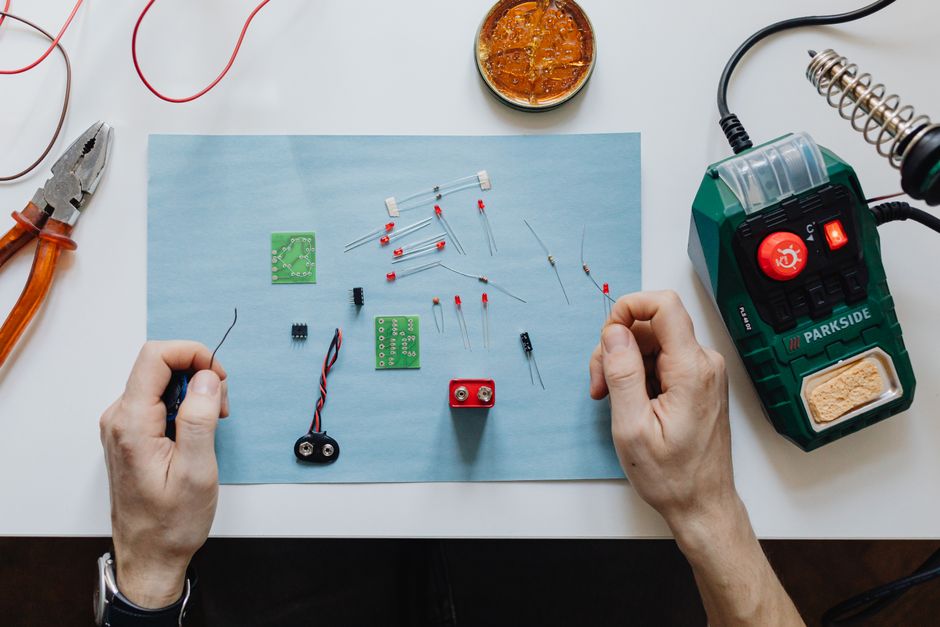
Before you even connect your new OLED, you must verify your power rails. A digital multimeter allows you to check if your console is outputting the 3.3V or 5V required by the display. Feeding 5V into a 3.3V-only SSD1306 chip is a very fast way to turn your new screen into a paperweight.
Microcontroller Integration and Connectivity Tools
If you are building a custom project or a diagnostic tool using an Arduino or Raspberry Pi, your OLED installation tools list expands into the digital realm. Most small OLEDs use either I2C or SPI communication protocols.
I2C vs. SPI: Choosing Your Interface
Connecting an OLED usually involves four to seven wires. I2C is the most common for hobbyist displays because it only requires two data pins (SDA and SCL) plus power and ground. SPI is faster, which is great for animations, but it uses more pins.
| Feature | I2C (Inter-Integrated Circuit) | SPI (Serial Peripheral Interface) |
|---|---|---|
| Pin Count | 4 (VCC, GND, SDA, SCL) | 6-7 (VCC, GND, CLK, MOSI, CS, DC, RST) |
| Speed | Slower (up to 400kHz or 1MHz) | Much Faster (up to 10MHz+) |
| Complexity | Simple wiring, address-based | More wires, requires “Chip Select” |
| Best For | Text, simple UI, system monitors | High-speed graphics, video |
For those looking for professional-grade resources on display technology, The OLED Toolbox | OLED-Info provides deep industry insights into how these protocols are evolving in the commercial sector.
Prototyping Gear
Before you solder anything permanently, use a breadboard and jumper wires. This allows you to “dry fit” your circuit. We’ve seen many modders skip this step only to realize they swapped the SDA and SCL lines after they’ve already trimmed and soldered the wires.
Essential Components for an OLED Installation Tools List
Beyond the tools, you need the right parts. The SSD1306 is the gold standard for DIY OLED projects. It usually comes in a 0.96-inch format with a 128×64 resolution.
- 2A DC-DC Step-up Modules: Sometimes your console’s internal power isn’t enough to drive a modern backlight or OLED controller. These modules can take a low voltage (as low as 2V) and boost it up to a stable 12V or 24V for specialized displays.
- DHT22 Sensors: Often paired with OLEDs in Raspberry Pi projects to create real-time temperature and humidity monitors.
- Custom Brackets: If you are following a game-boy-advance-screen-mod-tutorial/, you may need 3D-printed brackets to center the smaller OLED within the original screen window.
Enabling I2C Interfaces for OLED Compatibility
On a Raspberry Pi, the I2C interface is disabled by default. You’ll need to use the raspi-config tool to enable it. For software, we rely heavily on the Adafruit_SSD1306 and Adafruit_GFX libraries. These libraries provide pre-written functions to draw pixels, lines, and even text on your screen with just a few lines of code.
If you are installing-ips-display-on-game-boy/, you might even need to flash custom firmware to the console’s driver board to ensure the refresh rates match the original hardware.
Professional Repair and Diagnostic Equipment
For those of us moving beyond simple handheld mods and into TV repair or professional fabrication, the OLED installation tools list gets a bit more “heavy duty.”
Universal LED/OLED Drivers
When a TV’s backlight fails, it doesn’t always mean the panel is dead. Technicians often use Universal LED Driver Boards. These boards are incredibly versatile, supporting displays from 10 to 42 inches. They typically offer an output current of 480mA, though some are adjustable from 10mA up to a full 1000mA.
Upgrading an old LCD TV to a modern LED or OLED-style backlight can actually result in power savings of 50% to 70%! For more advanced tips on these types of high-level repairs, the Collection of OLED LCD LED TV Repair Tips V5.0 is an invaluable resource for the technical community.
Digital Diagnostics: Oracle Linux Enhanced Diagnostics (OLED)
Wait, “OLED” isn’t just a screen type! In professional server and system repair, Oracle Linux Enhanced Diagnostics (OLED) is a suite of scripts used to troubleshoot hardware at the kernel level.
- ping_lat.d: A DTrace-based script used to measure network latency.
- scsi_latency.d: Useful for tracking storage performance. While these are software tools, they are essential for anyone maintaining the high-end hardware that often drives large-scale OLED digital signage.
Advanced Adhesives and Fabrication Materials
One of the most overlooked parts of the OLED installation tools list is how you actually stick the screen in place. You can’t just use standard superglue; the fumes (VOCs) can actually damage the organic layers of an OLED panel over time.
The Safe Adhesives List
- Neutral-Cure Silicone: Unlike “acetoxy” silicones that smell like vinegar, neutral-cure versions don’t release corrosive gases. This is vital for mounting displays or LED strips behind glass.
- Kapton Tape: This is heat-resistant polyimide tape. We use it to insulate solder joints so they don’t short out against the console’s metal shielding.
- Low-VOC Acrylic Tapes: These are perfect for securing screen lenses. They provide a strong bond but won’t “outgas” and cloud up your beautiful new display.
Lab-Grade Fabrication
If you are interested in how the “pros” do it, OLED Fabrication | Ossila details the process of using ITO substrates and spin coaters to create OLED layers in a cleanroom environment. While we don’t need a cleanroom for custom-screen-mods-for-retro-consoles/, keeping your workspace dust-free is the single best thing you can do for a perfect install.
Troubleshooting Your OLED Installation Tools List
Even with the best tools, things can go sideways. Here is how we handle the most common “gremlins” in OLED installation.
“SSD1306 allocation failed”
This is a classic Arduino error. It usually means the code can’t find the display on the I2C bus.
- Check your wiring: Are SDA and SCL swapped?
- Run an I2C Scanner: This is a small script that “pings” every possible address on the bus. Most OLEDs live at address
0x3C, but some cheaper modules use0x3D. - Check Voltage: If the screen isn’t getting exactly 3.3V (or 5V depending on the model), the controller chip won’t initialize.
No Output or “Garbage” on Screen
If you see static or random pixels, it’s often a timing issue or a loose ribbon cable. When we do lcd-modding-for-handheld-consoles/, we always clean the ribbon connectors with 90% isopropyl alcohol before inserting them into the ZIF (Zero Insertion Force) sockets.
Professional Troubleshooting Stats
- Power Savings: Modifying an LCD to an LED/OLED backlight can reduce power draw by up to 70%.
- Output Limits: A standard 2A DC-DC Step-up board supports input from 2V to 24V, making it perfect for battery-powered handhelds.
Safety Best Practices for the OLED Installation Tools List
Safety isn’t just about you; it’s about the hardware.
- ESD Protection: Always wear an anti-static wrist strap. A single spark from your finger can fry an OLED controller.
- Thermal Management: OLEDs are sensitive to heat. Ensure that your installation doesn’t block the console’s vents.
- High-Voltage Caution: If you are working on a TV backlight, the “inverter” section can carry hundreds of volts. Always discharge capacitors before touching the board.
For those running commercial displays, following guides like How to Setup and Use OLED Digital Signage ensures that your screens don’t suffer from “burn-in” due to improper brightness settings.
Frequently Asked Questions about OLED Tools
How do I find my OLED’s I2C address?
The easiest way is to upload an “I2C Scanner” sketch to your Arduino or run i2cdetect -y 1 on your Raspberry Pi. This will list all connected devices. Most hobbyist OLEDs default to 0x3C.
What are the power savings of an OLED upgrade?
In a typical 32-inch LCD TV to LED/OLED conversion, you can expect a 50% to 70% reduction in power consumption. For handhelds like the Game Boy or PSP, this translates to significantly longer battery life, especially when playing at lower brightness levels.
Where can I source affordable OLED parts?
For individual hobbyist parts, AliExpress and eBay are the most cost-effective. However, for specialized retro gaming kits, we recommend sourcing from reputable modding shops that provide pre-trimmed shells and custom driver boards designed specifically for the console’s voltage requirements.
Conclusion
Building your OLED installation tools list is the first step toward a successful hardware modification. Whether you are performing a simple screen swap on a handheld or a complex diagnostic on a professional system, having the right soldering iron, the correct adhesives, and a solid understanding of I2C/SPI protocols will make the process smooth and rewarding.
At Ganhos Reais, we believe that the joy of retro gaming is amplified when you can see your favorite classics in high definition. By investing in these tools, you aren’t just fixing a console; you’re preserving gaming history with modern technology.
Ready to start your next project? Check out More guides and tutorials for deep dives into specific console mods!
