
How to Solder Your Way to a Better Screen
Why a Beginner OLED Retro Mod Transforms Your Classic Handheld
A beginner OLED retro mod is one of the most rewarding upgrades you can make to a classic handheld console. In short: you replace the original LCD screen with a modern OLED or AMOLED panel, and the difference is immediately visible.
Quick answer — the most popular beginner OLED retro mods right now:
- Nintendo Switch — SUPER7 OLED Touch kit (no soldering, ~$70-95, 750 nits, 149% sRGB)
- Game Boy Color — AMOLED GBC kit (~$60, basic soldering required, pre-laminated screen included)
- Nintendo Switch Lite — SUPER5 OLED Mega Kit (PCB swap only, no soldering, 600 nits, 150% sRGB)
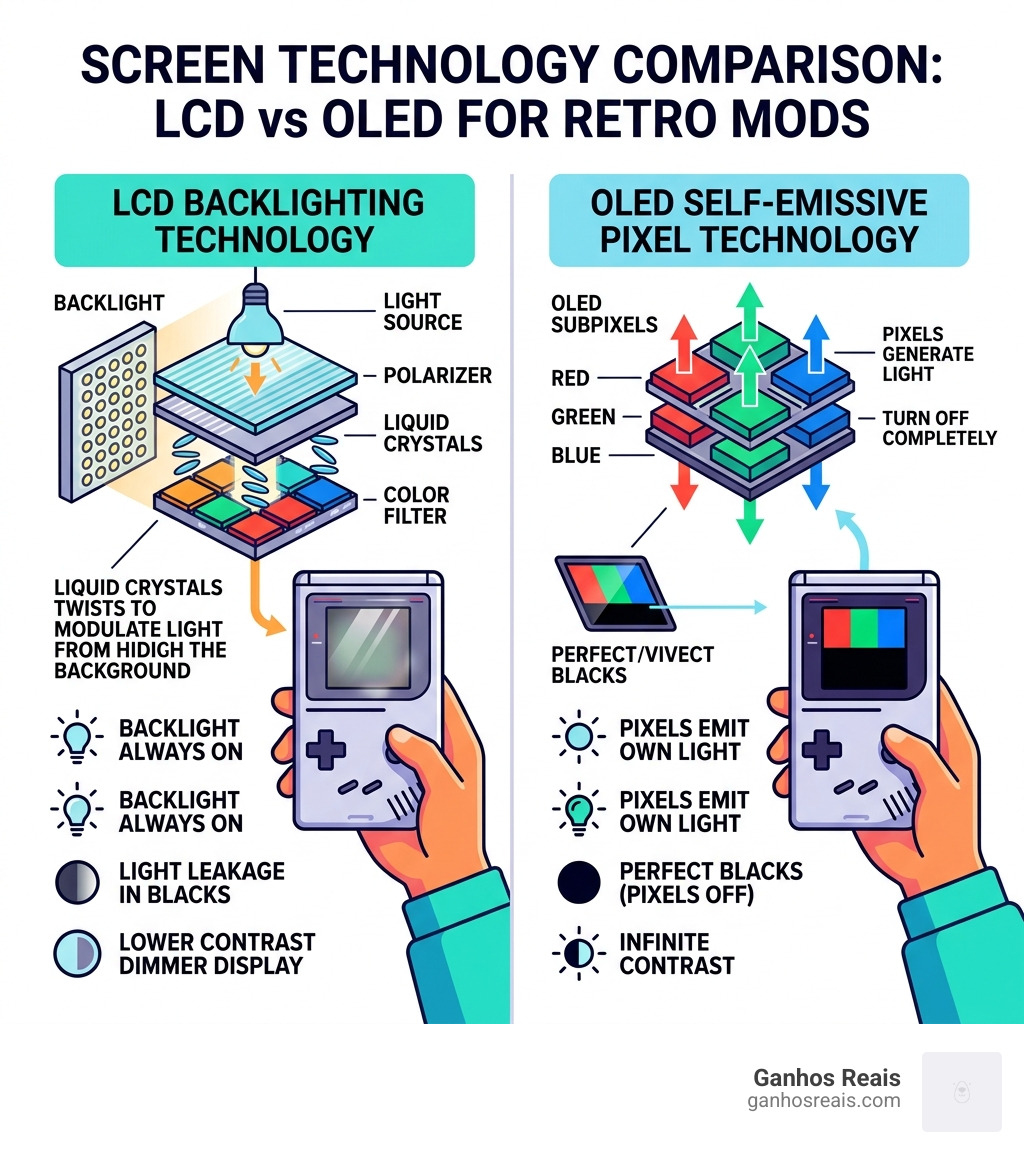
Stock LCD screens on retro handhelds were designed for their era. They’re dim, washed out, and have poor contrast. Modern OLED panels are a completely different technology — each pixel produces its own light, so blacks are truly black and colors pop in a way no backlit LCD can match.
The numbers tell the story clearly. A stock Nintendo Switch IPS screen produces 450 nits of brightness and a contrast ratio of around 1,530:1. An OLED upgrade can push that to 750 nits and a contrast ratio of 750,000:1. That’s not a subtle difference — it’s night and day.
The good news? Many of these mods are now designed for beginners. Some require zero soldering. Others need only basic skills. And complete kits ship with every tool and part you need.
This guide walks you through everything — tools, kits, installation, and fixes for the most common problems beginners run into.
Essential Tools and Skills for a Beginner OLED Retro Mod
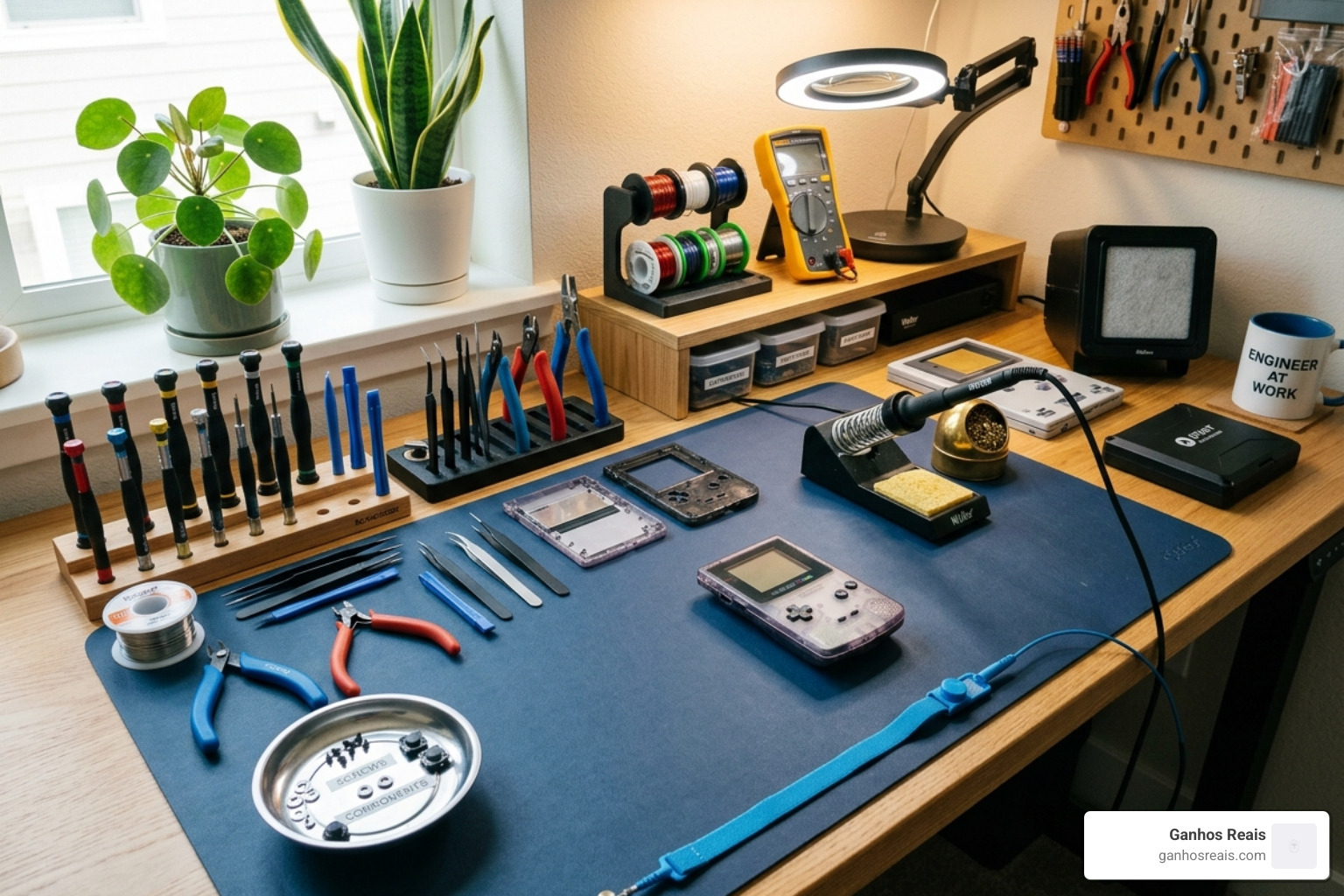
Before we crack open a console, we need to talk about the “workbench.” While the term “modding” might sound intimidating, most of what we do involves organization and patience rather than electrical engineering degrees.
Setting Up Your Workspace
A clean, well-lit area is your best friend. We recommend using an anti-static (ESD) mat to protect your console’s delicate internal components from static discharge. You’ll also want a magnetic parts tray or a grid-style organizer. When you’re performing a beginner OLED retro mod, you’ll encounter dozens of tiny screws of varying lengths. Putting a long screw into a short hole can pierce a motherboard or leave a “dimple” on your new shell.
The Toolbelt
For most handhelds, you will need:
- Multi-bit Screwdriver Set: Specifically, you’ll need Tri-wing (Y-type) bits for Nintendo consoles and standard Phillips bits.
- Pry Tools: Plastic spudgers and guitar picks are essential for opening shells without marring the plastic.
- ESD Tweezers: These are vital for handling delicate ribbon cables and tiny components.
- Soldering Iron and Flux: Even if you choose a “no-solder” kit, having a basic iron and high-quality flux is helpful for minor repairs. Flux is the “secret sauce” of modding—it helps solder flow smoothly and prevents bridges.
If you are new to the scene, checking out the rookie’s essential guide to handheld console modding can help you get comfortable with the terminology. We often tell newcomers that starting with console modding: an easy guide for beginners is the best way to build confidence before touching a high-value device like a Switch.
Top Kits for Your First Beginner OLED Retro Mod
Choosing the right kit is half the battle. In the past, modders had to source industrial screens and design their own driver boards. Today, we have “all-in-one” kits that make the process significantly easier.
| Feature | Stock Switch IPS | SUPER7 OLED (Switch) | GBC AMOLED Kit | Switch Lite SUPER5 |
|---|---|---|---|---|
| Brightness | 450 Nits | 750 Nits | High (Variable) | 600 Nits |
| Color Gamut | 95% sRGB | 149% sRGB | Accurate AMOLED | 150% sRGB |
| Contrast | 1,530:1 | 750,000:1 | Infinite (True Black) | 600,000:1 |
| Soldering | N/A | None Required | Basic (3 Wires) | None (PCB Swap) |
For a deeper dive into why these specs matter, read our guide on how to brighten your life with OLED and IPS modding.
High-Performance OLED Kits for Nintendo Switch
The SUPER7 OLED Touch is a standout for beginners. It’s a 7-inch DIY upgrade that requires absolutely no soldering. The kit is comprehensive, often including a custom metal frame, a custom shield plate, and even a replacement shell. Because it boosts brightness from 450 to 750 nits, it makes the Switch much more usable outdoors. For more details, see our OLED mod installation for retro consoles page.
Popular AMOLED Kits for Game Boy Color
The Game Boy Color (GBC) AMOLED kit is a fan favorite. For about $60, you get a pre-laminated screen (meaning the screen and the glass lens are already fused, so no dust gets in between). It features a touch-sensitive On-Screen Display (OSD) to change colors and brightness. While it requires soldering three wires for power and controls, it’s a great “first project.” Learn more in our turn your Game Boy into a powerhouse: beginners modding guide.
Advanced OLED Kits for Switch Lite
The SUPER5 OLED Mega Kit for the Switch Lite is a “PCB swap” mod. You essentially take the “brains” out of your old Lite and put them into a new shell that already has the OLED screen and an HDMI-out mod pre-installed. It’s the fastest way to get a premium display and TV-out functionality on a handheld that didn’t originally support it. Check out our modding your handheld: a comprehensive guide for rookies for a full breakdown.
Step-by-Step Installation of a Beginner OLED Retro Mod
Regardless of the console, the workflow for a beginner OLED retro mod generally follows a specific path: disassemble, prepare, install, and test.
The Disassembly Process
First, ensure your device is powered off and any batteries are disconnected as early as possible. Using your pry tools, gently separate the shell halves. Be extremely careful with ribbon cables—these are the thin, orange or black “straps” that connect components. They are held in by delicate “ZIF” (Zero Insertion Force) connectors. You must flip up a tiny locking tab before the cable will slide out.
For a visual walkthrough, our screen modding tutorial for beginners is an excellent resource. We also recommend starting incisions: a beginners guide to console mods if you’re nervous about opening your console for the first time.
Preparing the Shell for the AMOLED GBC
If you aren’t using a pre-cut shell, you may need to modify your original plastic.
- Trimming: Use flush cutters or a hobby knife to remove plastic “ribs” that might press against the new, larger OLED panel.
- Filing: Use a small needle file to smooth down any rough edges. In the GBC AMOLED mod, failing to file down the screw posts by about 1mm can cause the buttons to feel “mushy” because the motherboard isn’t sitting flush.
- Alignment: Ensure the rubber membranes for the D-pad and buttons are centered. Many kits include inferior membranes; we often suggest using your original OEM (Original Equipment Manufacturer) pads for a better feel.
Check out the ins and outs of Game Boy modification for amateurs for more shell-prep tips.
Final Assembly and Testing
Before you put all the screws back in, perform a “bench test.” Connect the screen and power, and turn it on.
- Check for Pixels: Ensure the screen is clear and vibrant.
- Test Buttons: Make sure every button actuates properly.
- OSD Calibration: Use the touch sensors or button combos to ensure the screen is centered.
Once confirmed, follow your first handheld modification: a beginners guide to finish the closing process.
Troubleshooting Common Modding Pitfalls
Even the best-laid plans can go awry. Here are the most common issues beginners face during a beginner OLED retro mod.
Button and Shell Issues
If your buttons feel “stuck” or don’t click, the shell is likely too tight. As mentioned earlier, filing down screw posts by less than 1mm usually fixes this. If the shell doesn’t close perfectly, don’t force it! A ribbon cable might be pinched. Pinched cables can cause short circuits or permanent damage to the screen.
Ghosting and Visual Artifacts
Some AMOLED kits offer “interframe blending.” This is meant to mimic the “ghosting” of original hardware for a more authentic look. However, many find it makes the image look smeary. You can usually toggle this off in the OSD menu. For more on this, see our shell modding tips for beginners.
Input Lag and Display Compatibility
While modern OLEDs are generally very fast, some advanced setups (like using an FPGA for a Wii U mod) can introduce lag if the scaling isn’t handled correctly. For handheld kits like the SUPER7, this is rarely an issue as they are designed to match the native signal of the console. If you’re struggling with the basics, console modding for noobs: how to start covers these fundamental concepts.
Frequently Asked Questions about Beginner OLED Retro Mods
Does installing an OLED mod void my warranty?
In most cases, yes. Opening your console and replacing the screen will void the manufacturer’s warranty. However, for retro consoles like the Game Boy Color, the warranty expired decades ago! For newer devices like the Switch, many mods are “reversible,” meaning you can put the old screen back in if you are careful, but the “warranty void” stickers will likely be broken. Our beginners handbook for console modification discusses this in detail.
Is soldering always required for OLED upgrades?
Not anymore! Kits like the SUPER7 for the Switch and the SUPER5 for the Switch Lite are specifically marketed as “no-solder” or “PCB swap” kits. These are perfect for those who aren’t ready to pick up a soldering iron just yet. We explore these options in our demystifying handheld console mods: starting point guide.
How do OLED mods affect battery life?
OLED technology is generally more efficient when displaying dark images because black pixels are completely turned off. However, because these modded screens are often much brighter (750 nits vs 450 nits), they can draw more power at max brightness. Some kits, like the Switch Lite Mega Kit, include an upgraded 5,000mAh battery to offset this. For a breakdown of power consumption, read handheld console modding 101: a beginners guide.
Conclusion
At Ganhos Reais, we believe that the best way to enjoy classic games is on the hardware you grew up with—just with a little modern “polish.” A beginner OLED retro mod isn’t just about better specs; it’s about the satisfaction of building something with your own hands. Whether you’re navigating the vibrant worlds of The Legend of Zelda on a 750-nit Switch or revisiting Pokémon on a crystal-clear GBC AMOLED, the visual upgrade is transformative.
The retro gaming community is incredibly supportive. If you get stuck, resources like online modding forums, community documentation, and our own tutorials are here to help. Ready to start your journey? Learn the basics: a guide to modding for beginners and join the thousands of gamers who have traded their dim LCDs for the infinite contrast of OLED.
Visit https://ganhosreais.com/ for more guides and kit recommendations!
