
Fresh Faces: The Best New 3DS Replacement Shells
Why Your New 3DS Deserves a Fresh Shell
A new 3ds shell replacement is one of the most rewarding upgrades you can do for your handheld. Whether your housing is cracked, scratched, or just plain boring, swapping the shell gives your console a completely new look — without replacing the whole system.
Here’s a quick overview of what a New 3DS shell replacement involves:
- What it is — Replacing the outer plastic housing (top and bottom halves) of your Nintendo New 3DS or New 3DS XL
- Why people do it — To repair cracked or worn shells, customize colors/designs, or restore a beat-up console
- What you need — A replacement shell kit, Phillips #00 screwdriver, spudger, tweezers, and sometimes a heat gun
- Where to buy — eBay (443+ listings), Etsy (756+ items), and specialty retailers like Hand Held Legend
- Difficulty level — Intermediate; no soldering required, but ribbon cables and hinge routing demand patience
- Cost — Roughly $20–$35 for a DIY kit, or $25–$60 for a professional reshelling service
The process is not as simple as popping off a faceplate. Screens are attached to the housing, cables need careful routing through the hinges, and heat is sometimes needed to release adhesive. One community member described it well — they could disassemble a DS Lite blindfolded, yet still found the New 3DS XL shell swap genuinely challenging.
That said, with the right guide and a steady hand, it’s absolutely doable.
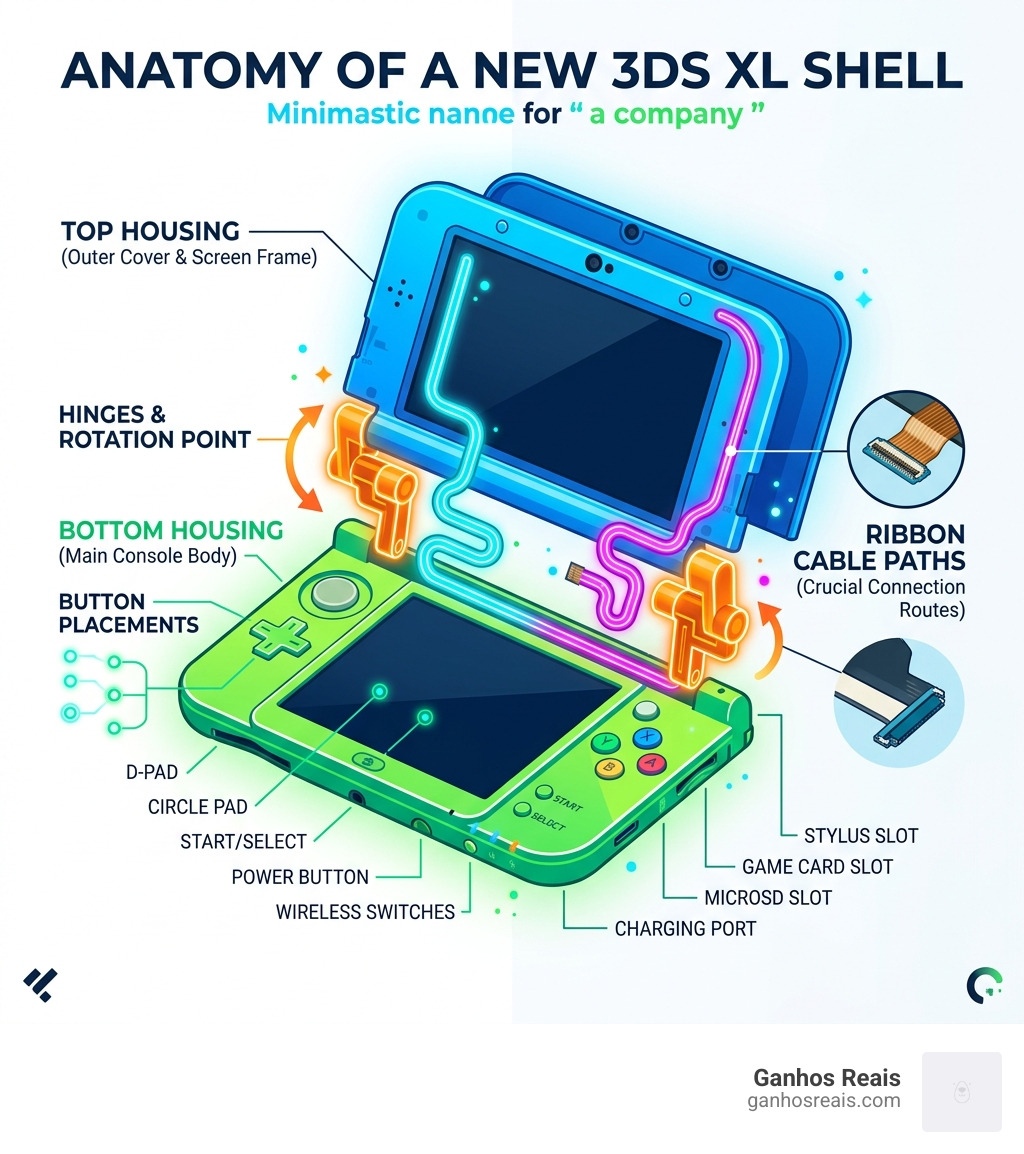
Easy new 3ds shell replacement glossary:
Understanding the New 3DS Shell Swap
When we talk about a new 3ds shell replacement, we are diving into hardware restoration and deep customization. For many of us, the “New” Nintendo 3DS line represents the pinnacle of Nintendo’s dual-screen era. However, time isn’t always kind. Glossy finishes get scratched, hinges become floppy, and the dreaded “peeling” on certain XL models can make a premium handheld look like a budget toy.
A shell swap serves two primary purposes: aesthetics and repair. You might want to transform a standard black unit into a vibrant “Majora’s Mask” edition or perhaps a transparent “Crystal” version that shows off the internals. On the repair side, if your hinge has snapped or your top housing is cracked from a drop, a full reshell is often the only way to save the device.
It is vital to understand the model differences before you buy parts. The “New” 3DS (standard) and “New” 3DS XL have entirely different internal layouts, screw positions, and button sizes. Furthermore, aftermarket shells vary in quality. While some feel nearly identical to the original equipment manufacturer (OEM) plastic, others can feel brittle or have slight fitment issues. We always recommend looking for high-quality ABS plastic kits to ensure your console doesn’t end up with the creaks and groans common in lower-quality DSi XL shells.
Physical vs Digital Shells
In the 3DS community, the word “shell” can sometimes be confusing because it is used in two different contexts.
- Physical Shells: This is the actual plastic housing of the console. This is what you physically touch and what protects the motherboard and screens.
- Digital Shells (Homebrew): If you have a modified console, you might encounter software like Sunshell, which acts as a powerful alternative interface for the 3DS, or 3DShell, a multi-purpose file manager.
While digital shells allow you to customize your UI and manage files with an Android-inspired interface, this guide focuses on the hardware. If your goal is to change how the console feels in your hands, you’re looking for a physical new 3ds shell replacement.
Essential Tools and Premium Aftermarket Parts
You wouldn’t perform surgery with a butter knife, and you shouldn’t attempt a 3DS reshell with the wrong tools. The screws inside a New 3DS are incredibly small and prone to stripping if you use a generic screwdriver.
To succeed, we recommend the following toolkit:
- Phillips #00 Screwdriver: The absolute standard for Nintendo handhelds.
- Plastic Spudger: Essential for prying open the housing without leaving “teeth marks” in the plastic.
- Precision Tweezers: You will need these to handle tiny ribbon cables and reposition rubber screw covers.
- Heat Gun or Hairdryer: This is used to soften the adhesive holding the screen lenses to the shell.
- Precision Tweezers: Essential for seating ribbon cables into their ZIF (Zero Insertion Force) connectors.
When sourcing parts, you can find complete housing kits that include the shell, buttons, screws, and even the tiny labels for the back of the console. Taking the time to give your handheld a new life starts with choosing the right components.
| Tool/Part | Purpose | Importance |
|---|---|---|
| Phillips #00 | Internal/External screws | Critical |
| Spudger | Prying and lifting | High |
| Heat Gun | Softening screen glue | Medium |
| ABS Plastic Shell | The new housing | Critical |
| Replacement Buttons | Aesthetic matching | Optional |
Sourcing Reliable Components
Not all shells are created equal. If you are looking for specific upgrades, like a new C-stick cap or colored buttons, look for parts that are well-reviewed by the handheld modding community and made from solid ABS plastic. Community feedback, product photos, and fitment notes can help you avoid shells with poor tolerances or weak paint.
When buying a new 3ds shell replacement, check for “Full Housing” kits. These usually include the middle frame, which is the “skeleton” of the console. If your hinge is broken, you must ensure the kit includes the middle frame, as that is where the hinge mechanism resides.
Step-by-Step Guide to New 3DS Shell Replacement
Performing a new 3ds shell replacement is a marathon, not a sprint. Expect the process to take anywhere from two to four hours if it’s your first time.
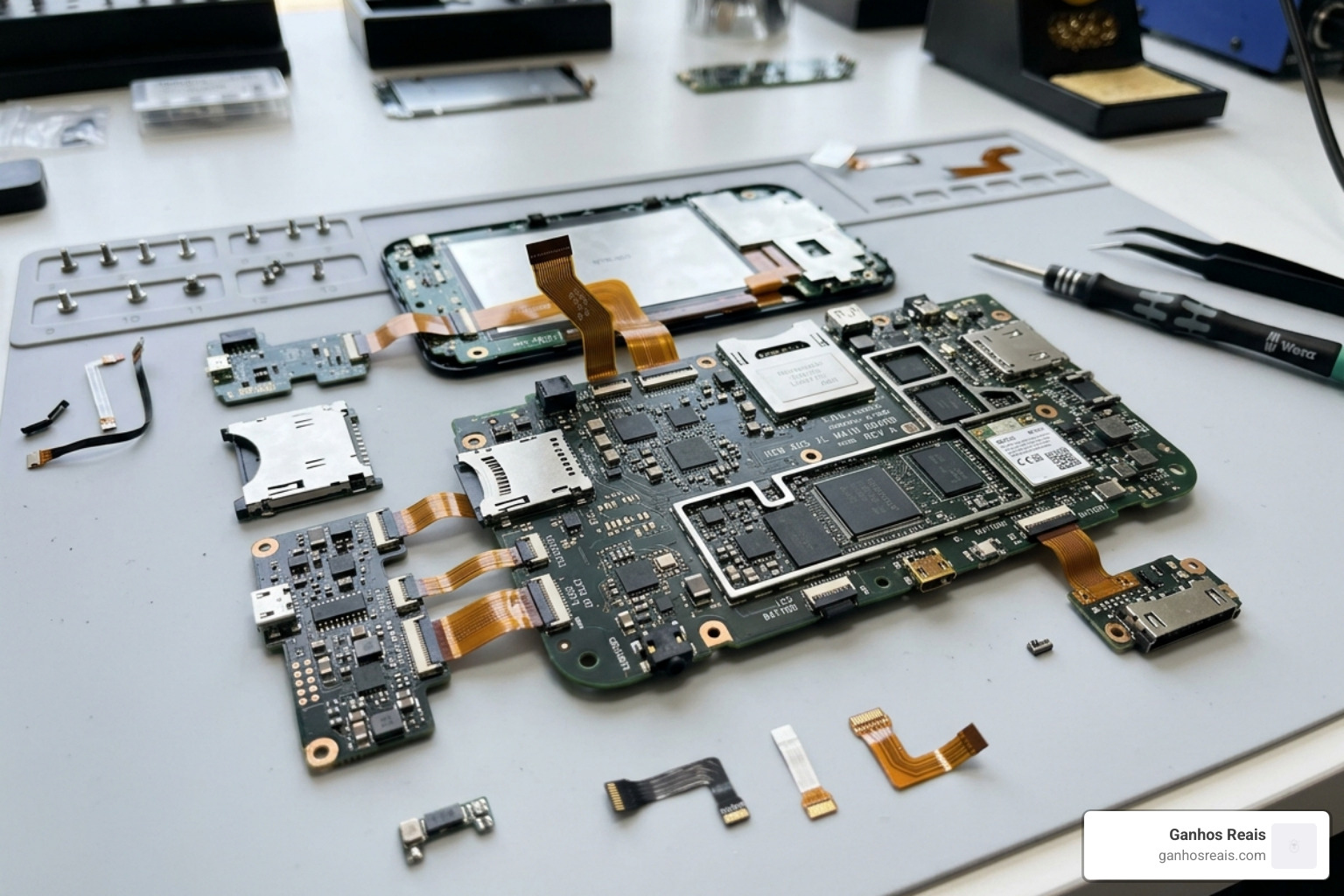
- Preparation: Power down the console and remove the SD card and stylus.
- Backplate and Battery: Use your Phillips #00 to loosen the two screws on the backplate (they are designed to stay attached to the plate). Pop the plate off and remove the battery.
- Lower Housing: Remove the hidden screws under the rubber feet. Carefully pry the lower shell away. Watch out! The shoulder button ribbon cables connect the lower shell to the motherboard. Disconnect them gently before pulling the shell away.
- Motherboard Removal: You will need to disconnect several ribbon cables (touch screen, LCD, backlight, etc.) and unscrew the motherboard. This is a great time to review shell-modding tips for beginners to ensure you don’t snap any fragile connectors.
- The Upper Shell: This is the hardest part. You must thread the upper LCD ribbon cables, speaker cables, and camera flex cable through the hinge. This requires rolling them into a tight (but not creased) cylinder.
- Screen Transfer: Use your heat gun to carefully warm the bezel of the top screen. This softens the glue, allowing you to transfer the screen and lens to the new housing.
Common Pitfalls in New 3DS Shell Replacement
Even seasoned modders run into trouble with the New 3DS. Here are the most common “game over” moments:
- Ribbon Cable Tears: The cables are paper-thin. If you feel resistance, stop. Never pull a cable if the ZIF gate is still locked.
- Hinge Routing: If you don’t route the cables through the hinge correctly, they will be pinched and severed the first time you close the console.
- Stripped Screws: Nintendo uses soft screws. Apply firm downward pressure and ensure your screwdriver bit is perfectly seated.
- Speaker Flex: The tiny gold contacts for the speakers are easily bent. If you have no sound after reassembly, this is usually the culprit.
Critical Assembly Checkpoints:
- Are the shoulder button springs seated correctly?
- Did you remember to transfer the Wi-Fi antenna?
- Is the microphone seated in its dedicated slot?
- Did you “click” the hinge into its locked position?
Is a New 3DS Shell Replacement Beginner-Friendly?
To be honest? It’s a bit of a “Level 50” quest. While it doesn’t require the soldering skills needed for some Game Boy mods, the sheer number of tiny parts and fragile cables makes it an intermediate project.
If you have successfully changed a Game Boy case or replaced a DS Lite shell, you have the foundational skills. However, the New 3DS is significantly more complex than its predecessors. If you are nervous, start by watching a full video walkthrough (like the iFixit guides) to see if you’re comfortable with the level of detail required.
Where to Buy and Professional Service Options
If you are ready to pull the trigger on a new 3ds shell replacement, you have several options:
- eBay: Great for finding OEM-style shells and rare color variants. There are currently over 440 results for 3DS replacement shells, ranging from $20 to $35.
- Etsy: The place to go for custom, themed, or 3D-printed shells. You can find over 750 items, including unique anime-themed housings and custom-painted shells.
- Specialty parts retailers: These stores often carry specific internal parts, such as the middle frame or C-stick, that can be harder to find in bulk kits.
- AliExpress: Often the cheapest option, but shipping can take weeks. This is where many of the “cheap” shells originate.
Professional Reshelling Services
If the thought of “rolling ribbon cables through a hinge” gives you nightmares, you are not alone. Many professional modders on Etsy and specialized forums offer mail-in reshelling services.
- Cost: Usually between $25 and $60 (plus the cost of the shell).
- Benefit: You get a better chance of a clean result, and experienced technicians often clean the internals and optimize the hinge tension while they are in there.
- Refurbished Units: You can also find sellers who sell “Refurbished New 3DS XL” units that have already been fitted with a brand-new shell, essentially giving you a “new” console out of the box.
Frequently Asked Questions
How much does a full shell swap cost?
For a DIY project, you’re looking at:
- Replacement Shell Kit: $20–$35
- Basic Tool Kit: $10–$15
- Total: Approximately $30–$50.
If you go the professional route, expect to pay $60–$100 total, including parts and labor. Compared to the $200+ price tag of a used New 3DS XL in good condition, a shell swap is a very cost-effective way to get a “mint” console.
Where can I find the best video tutorials?
The iFixit New Nintendo 3DS XL repair guide is a classic, with over 12,000 views, but it can sometimes skip over the nuances of the hinge. We highly recommend searching YouTube for “New 3DS XL Full Disassembly” to find creators who show the process in real-time. Seeing how someone physically manipulates the cables is much more helpful than a static photo.
What are the main differences between New 3DS and New 3DS XL shells?
The standard New 3DS (non-XL) is unique because it features official swappable faceplates. This means you can change the look of the “plates” without opening the console. However, a full new 3ds shell replacement for the standard model is much harder to find because the console had lower sales in the US. The XL model does not have official faceplates, so a full shell swap is the only way to change its appearance.
Conclusion
At Ganhos Reais, we believe that retro and “modern-classic” handhelds like the New 3DS deserve to be preserved and personalized. Whether you are performing a new 3ds shell replacement to fix a broken hinge or to create a one-of-a-kind custom masterpiece, the effort is well worth the result.
Hardware longevity is the name of the game. By learning how to maintain and mod your own systems, you ensure that these fantastic gaming libraries remain playable for decades to come. Once you’ve mastered the 3DS, why stop there? You can explore our other guides on Game Boy Color shells or even 3D-printed PSP housings.
Ready to start your next project? Explore more handheld modification guides and give your favorite console the makeover it deserves!
